
Tech
Can a Multi Store Inventory Management Plugin Improve Order Accuracy?

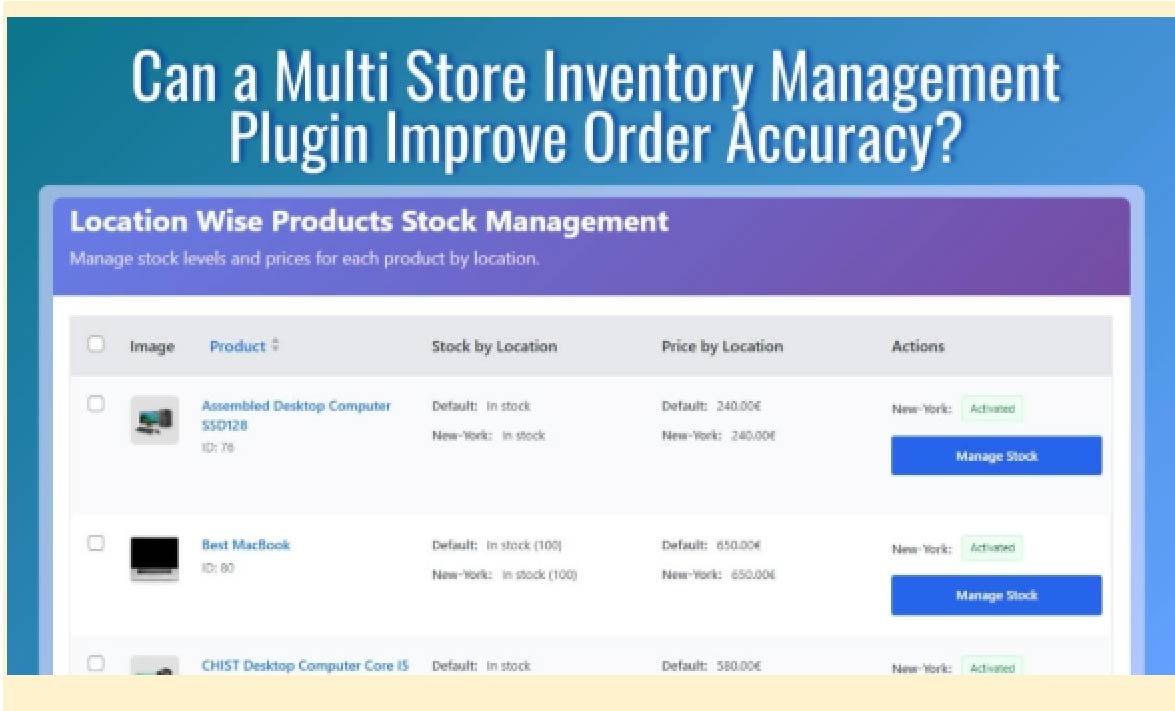
If you’re wondering can a multi store inventory management plugin improve order accuracy, the short answer is yes. WooCommerce default tracks one global stock total with no concept of which location an order belongs to or which warehouse should fulfill it. A plugin fixes that by tagging every order to a location and deducting stock from the right place automatically.
Keep reading to see the exact workflows that prevent phantom stock, wrong-location fulfillment, and overselling across every location you run. We break down each accuracy problem, how a plugin solves it, and what to look for before you install one.
What Is Order Accuracy in a Multi-Location Store?
Order accuracy in multi-location fulfillment means every order deducts from the correct location’s stock, routes to the correct store or warehouse, and reflects real available inventory at checkout, not a combined global total.
Why Order Accuracy Gets Harder as You Add Locations
The moment you add a second warehouse or store, the number of failure points multiplies:
- More Stock Pools: The same SKU exists in multiple places with different quantities.
- More Fulfillment Decisions: Each order needs a reliable “ship-from” source, not a manual guess.
- More Inventory Movement: Transfers, returns, and adjustments can create drift if location tracking is missing.
- More Timing Issues: Peak sales windows amplify oversells when availability isn’t location-based.
The 4 Checks Every Accurate Multi-Location Order Must Pass
- Location-based Availability: customers only buy what the selected location can fulfill.
- Persistent Location Tagging: the order carries its location from checkout to packing and reporting.
- Correct Stock Updates: deductions, refunds, and cancellations update the same location consistently.
- Clear Fulfillment Ownership: teams see the correct queue by location and ship without cross-branch confusion.
How Can a Multi Store Inventory Management Plugin Improve Order Accuracy?
Order accuracy improves when a store can match every purchase to the correct location before fulfillment begins. With the help of a multi store inventory management plugin, businesses can track stock by location, tag orders correctly, and deduct inventory from the right warehouse or store automatically.
By improving inventory control and order handling, stores can process purchases more reliably and create a smoother customer experience.
The Core Mechanics It Adds on Top of WooCommerce
Most plugins in this category improve accuracy by introducing these building blocks:
- Location Creation and Management: Define each store/warehouse with its own rules (address, pickup eligibility, shipping zones, business hours).
- Per-location Stock Assignment: Set separate quantities per SKU per location, including variations when needed.
- Location Capture on the Storefront: Customers select a location (or one is detected), so availability reflects the correct stock pool.
- Location Tagging on Every Order: Each order is permanently linked to a location for routing, picking, packing, and reporting.
- Automatic Stock Deduction and Restoration: Stock reduces from the tagged location at purchase and restores to that same location on cancel/refund.
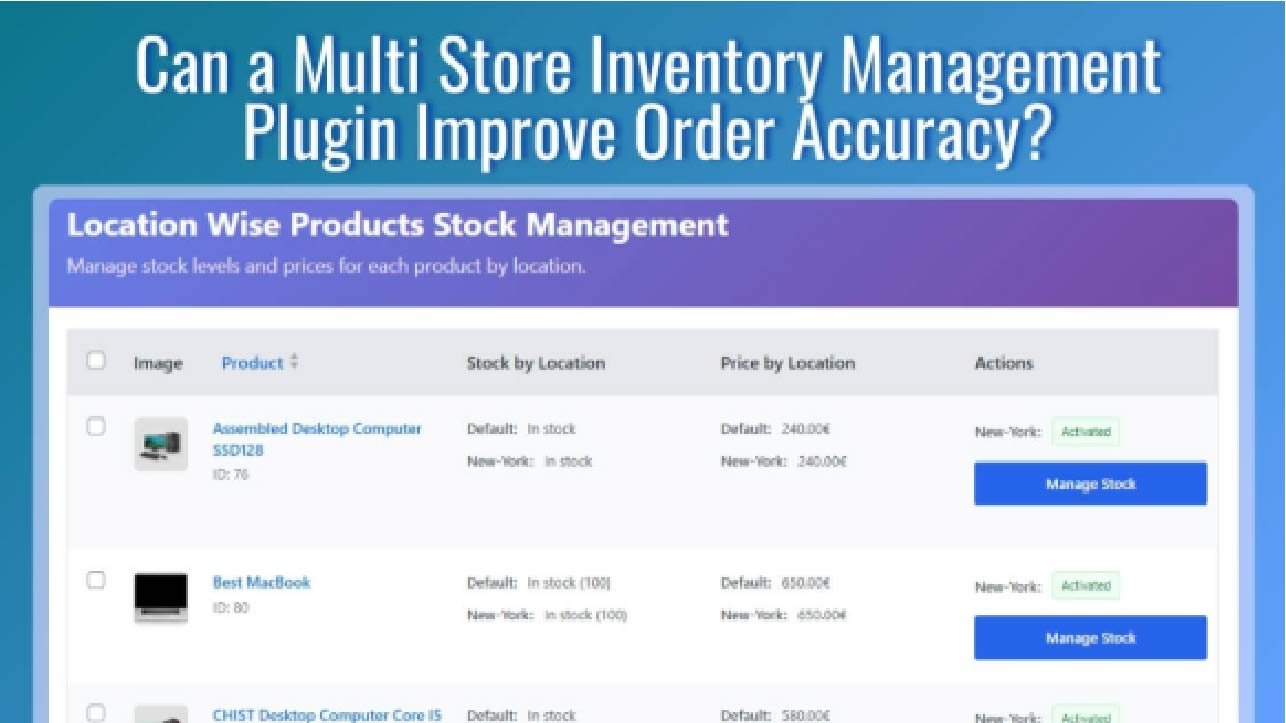
- Centralized Visibility: A single dashboard shows what’s available where, so low-stock risks and imbalances are visible early.
Without a Plugin vs With a Multi Store Inventory Plugin
| Without a Plugin | With a Multi Store Inventory Plugin |
| One global stock total | Separate stock per location |
| No location stored on orders | Every order tagged to a location |
| Staff choose fulfillment manually | Routing rules pick the right location |
| Stock reduces from a single pool | Stock deducts from the correct location |
| Global low-stock alerts | Per-location low-stock thresholds |
| Weak visibility across locations | Central dashboard for all locations |
| Cancellations/restocks are messy | Stock restores to the same location automatically |
Why WooCommerce Default Fails Order Accuracy at Multiple Locations?
WooCommerce is designed around a single inventory pool, so multi-location accuracy depends on people doing manual work perfectly every day, at every location. When orders scale, that manual layer becomes the source of wrong shipments, cancellations, and inventory drift.
Single Stock Pool Problem
WooCommerce tracks one global stock total per product, not separate counts per store or warehouse. A customer can buy an item because the website shows it “in stock,” even if the only units are sitting in a different location that can’t fulfill the order on time.
No Location Tagging on Orders
Default WooCommerce doesn’t store which location an order belongs to or which location should fulfill it. That means:
- Staff must guess where to ship from,
- Stock can be reduced from the wrong place,
- And reporting can’t show performance or errors by branch.
Manual Stock Updates Create Lag (And Lag Creates Mistakes)
When teams update stock manually across locations, there’s always a delay between what’s real and what the store shows. During that gap, customers place orders against outdated availability, leading to oversells, wrong substitutions, and avoidable refunds.
No Per-Location Visibility
Without a location-level dashboard, it’s hard to spot imbalances like “Warehouse A is empty, but Store B is overstocked.” Problems stay hidden until orders start failing, and by then, accuracy has already broken down.
How a Plugin Improves Order Accuracy?
WooCommerce can’t improve order accuracy across multiple locations until each order has one missing ingredient: a clear fulfillment location. Once a plugin captures that location and keeps it attached to the order, accuracy becomes a workflow. With that foundation in place, here’s how the accuracy improvement happens from start to finish:
Step 1: The Customer Selects or Is Assigned a Location Before Checkout
A plugin captures location intent early on the product page, cart, or checkout using a selector or automatic detection. Once the location is known, every downstream action (availability, routing, stock deduction) has a reliable reference point.
- Location can be chosen via dropdown/popup/store list
- Some setups detect location automatically (IP/zone)
- The chosen location is saved for consistent browsing and checkout
Step 2: Products Show Availability Based on That Location
Instead of showing a customer items that only exist in another warehouse, the store reflects location-based availability. This prevents inaccurate orders before they even start.
- Hide out-of-stock items for that location
- Show badges/labels like “Available at Dhaka Warehouse”
- Grey out options that aren’t available locally
Step 3: Stock Deducts From the Tagged Location Only
When the order is placed, inventory is reduced from the specific location tied to the order, not from a global total. That keeps every location’s count accurate and prevents “random” stock drops elsewhere.
- Deduct stock per location on order placement/payment
- Keep other locations untouched
- Maintain accurate per-location sellable quantity
Step 4: The Order Carries a Location Tag Into Fulfillment
The order record shows which store or warehouse owns it. Teams can filter orders by location, process the correct queue, and fulfill without guessing.
- Location appears in the order admin view
- Location-based order filters and packing lists
- Clear ownership for each branch or warehouse
Step 5: Cancellations and Refunds Restore Stock to the Correct Location
When an order is cancelled or refunded, stock returns to the same location it came from automatically. Without location tagging, this becomes manual, and that’s how inventory drift builds over time.
- Auto-restock to the original location
- Reduce long-term mismatch during audits
- Prevent “global restock” inaccuracies
Step 6: Low Stock Alerts Trigger Per Location Before Accuracy Breaks
Per-location low stock thresholds warn the right team before a location hits zero. That reduces last-minute substitutions and prevents orders from confirming against stock that’s already gone.
- Separate thresholds per store/warehouse
- Notify the right manager/team
- Replenish or transfer stock before failures happen
Real Scenarios Where Order Accuracy Breaks Without a Plugin
Even if your team is careful, multi-location order accuracy breaks in predictable ways when location data isn’t captured and enforced. These scenarios show why “global stock + manual routing” creates mistakes that look random but aren’t.
Phantom Stock From Blended Inventory
Your store shows 12 units available, but those units are split across locations that can’t all fulfill the same customer. The customer orders, payment succeeds, and only then do you discover their nearest fulfillment location doesn’t actually have the stock to ship.
Wrong Location Ships the Order
An order comes in without a clear location context, so staff ship from whichever warehouse feels easiest. Inventory gets deducted from the wrong place, the “right” location’s count stays inflated, and the next customer sees availability that isn’t real.
Two Customers Buy the “Last Unit”
Two shoppers in different cities place orders at nearly the same time. With global stock, both checkouts succeed even though only one location has the final unit. One order is forced into a cancellation, delay, or manual transfer.
Cancellations Create Inventory Drift
A team routes an order manually and adjusts stock to make it work. When the order is cancelled or refunded later, there’s no reliable reference for where the stock should return. Counts slowly drift until audits reveal mismatches that no one can explain quickly.
Other Ways a Plugin Improves Operational Accuracy Beyond Stock
Order accuracy isn’t only about inventory counts. In multi-location operations, mistakes also happen when pricing, taxes, shipping rules, and team responsibilities aren’t tied to the same location logic. Once a plugin centralizes location context, it can reduce these “silent” errors across the order lifecycle too.
Location-Based Pricing Accuracy
Regional promotions, franchise pricing, and store-specific discounts often create mismatched totals at checkout. Location-aware pricing reduces “charged the wrong amount” issues by keeping pricing rules aligned with the customer’s selected location.
- Supports branch promos without manual coupon work
- Reduces price overrides and post-order adjustments
- Keeps receipts consistent across channels and staff
Tax and Shipping Rule Accuracy
Multi-location stores commonly ship under different carriers, zones, and tax behaviors. When location is known, the right rule set can be applied automatically, reducing checkout and fulfillment mistakes.
- Shows only eligible shipping methods for that location
- Prevents incorrect rate application across zones
- Reduces manual edits that create billing mismatches
Team Access and Accountability Accuracy
Many operational errors happen when the wrong person edits the wrong location. Location-scoped permissions and dashboards help ensure each team acts on the orders and inventory they actually manage.
- Location managers see only their location’s orders
- Prevents accidental cross-location stock adjustments
- Clarifies ownership for fulfillment and exceptions
Reporting Accuracy by Location
Global reporting hides where problems start. Branch-level reporting makes it easier to identify which location is causing cancellations, stockouts, or frequent adjustments, so fixes are targeted and measurable.
- Tracks sales and fulfillment outcomes per location
- Spots “high-cancel” or “high-refund” branches faster
- Improves replenishment decisions using location data
What to Look for in a Multi Store Inventory Management Plugin?
Choosing the right multi store inventory management plugin starts with accuracy. The best plugin should help prevent wrong shipments, cancellations, overselling, and inventory drift by keeping stock aligned with the correct location at every stage of the order process.
Here are the main things to look for:
- Per-Location Stock Tracking: The plugin should let you manage separate stock quantities for each store, warehouse, or fulfillment location.
- Order Location Tagging: Each order should be linked to the correct location so fulfillment decisions stay clear and consistent.
- Automatic Stock Deduction: Inventory should be reduced from the right location instead of from a shared or incorrect stock pool.
- Stock Restoration By Location: Cancellations, refunds, or failed orders should return stock to the same location it came from.
- Centralized Inventory Visibility: A clear dashboard should show stock levels across all locations so teams can spot shortages or imbalances early.
- Storefront Controls: The plugin should support location-based availability, pickup logic, or customer location selection when needed.
- Operational Safeguards: Approval rules, stock validation, and transfer controls help reduce manual errors and protect inventory accuracy.
- System Compatibility: The plugin should work smoothly with your WooCommerce setup and any tools you already use for fulfillment, shipping, or reporting.
How to Measure Order Accuracy Improvements (30-Day Checklist)
Measure accuracy by comparing a 30-day baseline (before) with the next 30 days (after). Track these weekly so you can spot improvement trends, not just one-off wins.
- Perfect Order Rate (Location-Accurate Orders): Orders shipped with the right item, right quantity, and correct fulfillment location on the first attempt.
- Stockout-Driven Cancellations: Cancellations caused by “couldn’t fulfill from the intended location” or discovered shortages after purchase.
- Split Shipment Rate: Orders split across multiple locations to complete fulfillment, often caused by misaligned availability or routing.
- Wrong-Item / Wrong-Quantity Returns: Returns triggered by picking mistakes, substitutions, or packing errors.
- Manual Inventory Adjustments By Location: Count how often staff manually correct stock per branch; fewer adjustments usually mean cleaner automation.
- Refunds Tied To Fulfillment Delays: Refunds caused by rerouting, transfers, or unexpected fulfillment delays from stock mismatches.
- Low-Stock Exceptions: Incidents where a location hits zero unexpectedly while the storefront still implies availability.
Conclusion
Order accuracy gets easier to control when every order is tied to a specific location and inventory updates follow that same path. That’s why the question can a multi store inventory management plugin improve order accuracy has a simple answer: yes, it can by reducing the gaps that lead to wrong shipments, cancellations, and stock drift.
Focus on the basics first, then scale up. Once the core workflow is stable, you’ll see cleaner stock records and a smoother fulfillment process across all locations.

How On-Demand Delivery Can Double Your Sales

The Vital Role Of General Dentistry In Lifelong Oral Health

How to Choose the Right Mousepad desk mats for Your Desk Layout

How Rocket Canopy Windproof Walls Protect Your Booth in Harsh Weather

Why Preventive Dental Planning Matters For Households

Why Parasite Prevention Is A Central Focus In Veterinary Clinics

Common Mistakes People Make When Buying Paneer Cheese

7 Smart Reasons Designer Radiators Are Becoming a Must-Have in Modern UK Homes

Heavy Towing Near Me: Fast, Safe, and Reliable Solutions for Heavy-Duty Vehicle Recovery

From Messaging App to Digital Ecosystem: The Evolution of Telegram

Who Is Jennifer Rauchet?: All You Need To Know About Pete Hegseth’s Wife

Who Is Mindy Jennings?: All You Need To Know About Ken Jennings Wife

Who Is Enrica Cenzatti?: The Untold Story of Andrea Bocelli’s Ex-Wife

Who Is Klarissa Munz: The Untold Story of Freddie Highmore’s Wife

Who Is Mallory Plotnik?: The Untold Story of Phil Wickham’s Wife

Meet Christina Erika Carandini Lee?: All You Need To Know Christopher Lee’s Daughter

Who Is Allison Butler?: The Life and Influence of Kirk Herbstreit Wife

Who Is Terrance Michael Murphy?: Everything about Audie Murphy’s Son

Alec Bohm Wife: Everything You Need to Know About Jacque Darby

Who Is Jessica Marie Blosil?: Everything About Marie Osmond’s Daughter
How On-Demand Delivery Can Double Your Sales
The Vital Role Of General Dentistry In Lifelong Oral Health
How to Choose the Right Mousepad desk mats for Your Desk Layout
How Rocket Canopy Windproof Walls Protect Your Booth in Harsh Weather
Why Preventive Dental Planning Matters For Households
Why Parasite Prevention Is A Central Focus In Veterinary Clinics
Common Mistakes People Make When Buying Paneer Cheese
7 Smart Reasons Designer Radiators Are Becoming a Must-Have in Modern UK Homes
Heavy Towing Near Me: Fast, Safe, and Reliable Solutions for Heavy-Duty Vehicle Recovery
From Messaging App to Digital Ecosystem: The Evolution of Telegram
-
 Celebrity1 year ago
Who Is Jennifer Rauchet?: All You Need To Know About Pete Hegseth’s Wife
-
 Celebrity1 year ago
Who Is Mindy Jennings?: All You Need To Know About Ken Jennings Wife
-
 Celebrity1 year ago
Who Is Enrica Cenzatti?: The Untold Story of Andrea Bocelli’s Ex-Wife
-
 Celebrity2 years ago
Who Is Klarissa Munz: The Untold Story of Freddie Highmore’s Wife