
Business
How to Choose the Right Mousepad desk mats for Your Desk Layout

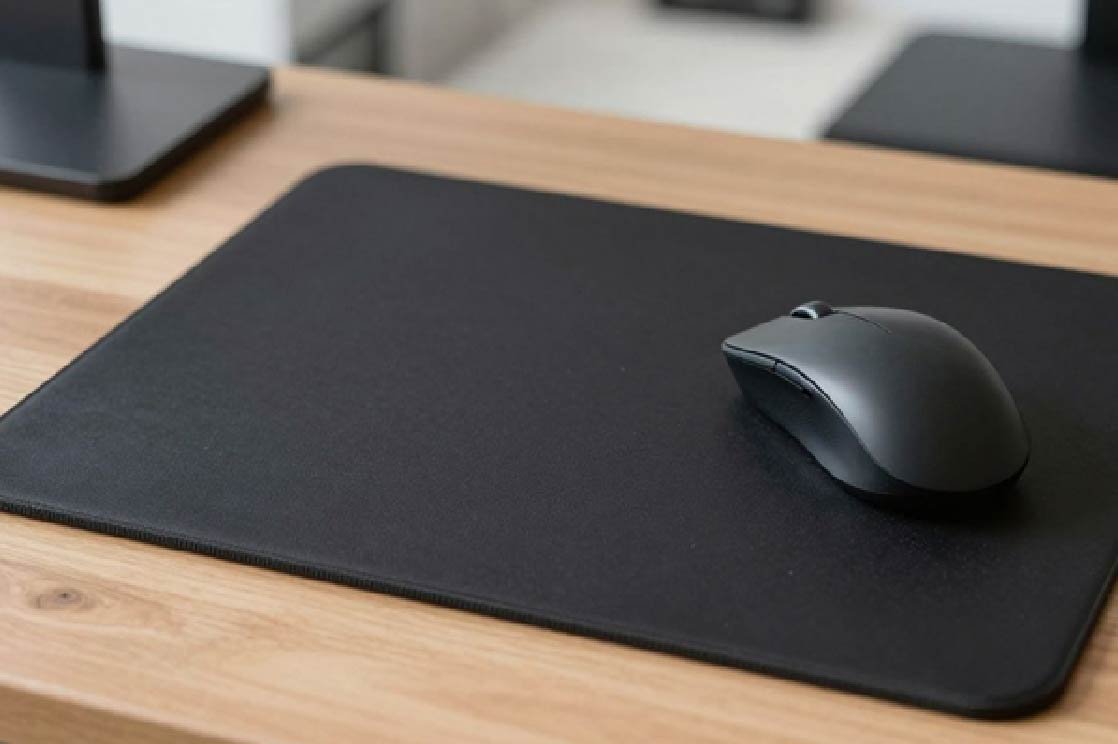
Why the Right Mousepad Size is Crucial for Your Setup
Picking the correct mousepad size for your desk setup is a bigger deal than most people think. It doesn’t matter if you’re working, playing games, or just browsing online; the size of your mousepad can really change how comfortable you are and how well you do things. For anyone who spends time at their desk, getting the right mousepad size means you have enough room to move your mouse around freely, which helps with accuracy and stops your wrist from getting sore. There are tons of options out there, so figuring out which size works best for you is key to making your workspace feel good and work well.
The size of your mousepad directly impacts your desk’s overall look and feel. A mat that’s too big can make a small desk feel cramped, while one that’s too small might not give you enough space for your keyboard and mouse. It’s about finding that sweet spot where function meets form. Think about how much space you actually use when you’re typing or moving the mouse. Do you need a lot of room for big sweeps, or are your movements more contained? This is where understanding the different mousepad sizes comes into play.
When you’re looking at Mousepad Warehouse desk mats, size is the first thing to consider. It’s not just about aesthetics; it’s about practicality. A well-chosen mousepad can prevent your desk from getting scratched, offer a smoother surface for your mouse, and even help keep your keyboard from sliding around. It’s a simple item, but its size has a noticeable effect on your daily computer use.
Common Mousepad Sizes and Their Best Uses
Mousepads come in a variety of sizes, and each one is suited for different needs and desk setups. It’s helpful to know what’s out there so you can make an informed choice. Here’s a quick rundown of common sizes and who they’re best for:
- Small (approx. 9″ x 7″): These are great if you have very limited desk space or if you travel with your mousepad. They’re compact and easy to move, but you might find yourself running out of room during intense gaming sessions or when making large, sweeping mouse movements.
- Medium (approx. 10″ x 8″): This is a popular choice for general office work and casual computer use. It offers a decent amount of space for your mouse without taking up too much of your desk. It’s a good balance for most people.
- Large (approx. 14″ x 12″): If you like having extra room to move your mouse or if you do a bit of gaming, a large mousepad is a solid option. It provides more comfort for longer sessions and reduces the chance of your mouse going off the edge.
- Extended (approx. 36″ x 18″): These are the big boys. Extended mousepads, often called desk mats, cover a significant portion of your desk, usually fitting your keyboard and mouse. They are a favorite among gamers and people who want a unified look for their setup, providing ample space for all your peripherals.
Choosing the right size isn’t just about fitting your mouse; it’s about fitting your workflow and your desk.
When you’re thinking about a mousepad Warehouse desk mat, consider how much of your desk you want it to cover. Do you want just enough space for your mouse, or do you want it to extend under your keyboard and provide a consistent surface for everything? The extended size is particularly popular because it creates a clean, cohesive look for the entire desk area.
Choosing the Ideal Size for Your Desk Layout
Finding the perfect mousepad size really comes down to your specific desk and how you use it. There’s no one-size-fits-all answer, so taking a moment to assess your situation is important. Start by looking at your desk. How much clear space do you actually have? Measure the area where you typically place your keyboard and mouse. Don’t forget to account for any monitors, speakers, or other items that take up real estate.
Think about what you do most often at your desk. If you’re a gamer who plays fast-paced games, you’ll likely need a larger surface area for wide, sweeping mouse movements. A smaller pad could feel restrictive and even hurt your performance. On the other hand, if your daily tasks involve mostly typing and light mouse use, a smaller or medium-sized mousepad might be perfectly adequate and keep your desk looking tidy.
Finally, don’t forget about comfort. If you find yourself experiencing wrist pain or fatigue, the size and placement of your mousepad can play a role. Some larger desk mats offer a bit more cushioning or a smoother glide, which can make a difference during long work or gaming sessions. Ultimately, the ideal size is one that supports your activities without getting in the way.
Matching Mousepad Size to Your Desk and Usage
Desk Dimensions: Maximizing Your Available Space
Before picking out a mousepad, take a good look at your desk. How much actual space do you have to work with? Measure it out. This step is pretty straightforward but super important. A massive desk mat might look cool, but if it covers half your workspace, it’s just going to get in the way. Think about where your monitor sits, where your keyboard goes, and how much room you actually need for your mouse to move freely. The goal is to find a mousepad size that fits comfortably without making your desk feel cramped.
Consider the layout. Do you have a corner desk? A standard rectangular one? Maybe a standing desk? Each setup has different usable areas. A compact desk might only fit a smaller mousepad, while a large executive desk can handle an extended mat. It’s all about making the most of the space you have, not just buying the biggest thing you can find. A well-fitting mousepad makes a big difference.
Don’t forget about other items on your desk. If you have multiple monitors, a laptop, speakers, or even just a lot of paperwork, these all eat into your available mousepad real estate. Plan your mousepad size around these existing items to avoid constant shuffling and re-arranging. It’s about creating a functional zone.
Usage Scenarios: Gaming vs. Office Needs
What do you actually do at your desk? This is a huge factor. Gamers, for instance, often need a lot of room for quick, sweeping mouse movements. A small mousepad can be a real hindrance during an intense gaming session, leading to missed shots or awkward adjustments. For gaming, a larger mousepad, often called an extended mat, is usually the way to go. It gives you that freedom to move without hitting the edge.
Office work is usually a bit different. Most office tasks involve more controlled, precise movements. You’re not typically doing 360-degree spins in a spreadsheet. So, a medium-sized mousepad is often perfectly adequate. It provides enough surface area for everyday tasks without taking up excessive desk space. Think about your daily computer use.
However, there are overlaps. Some designers or video editors might need a larger surface area similar to gamers for detailed work. Conversely, some casual gamers might be fine with a medium pad if they don’t play fast-paced games. It really comes down to your personal workflow and what feels natural for your mouse movements. The right mousepad size supports your activity.
Ergonomic Considerations for Comfort and Health
Spending hours at a desk can take a toll on your wrists and arms. The size of your mousepad plays a role in this. If your mousepad is too small, you might find yourself constantly reaching or contorting your wrist to keep the mouse on the pad. This can lead to strain over time. A larger mousepad allows for more natural arm and wrist positioning, reducing that awkward reaching.
A mousepad that’s too small forces unnatural wrist angles, which can lead to discomfort and potential long-term issues. Choosing a size that allows for relaxed movement is key for daily comfort.
Some mousepads come with built-in wrist rests, which can be a great addition for comfort, especially for office work. These often come in various sizes, so you can still find one that fits your desk and usage needs. However, even without a wrist rest, a properly sized mousepad that allows your entire forearm to rest comfortably on the desk or pad can make a significant difference. It’s about supporting your body.
Think about how your hand and wrist feel after a long session. Are you experiencing any aches or stiffness? If so, it might be time to re-evaluate your mousepad size. A larger mat can provide a more stable and comfortable base, allowing for smoother, less strenuous mouse control. Your comfort is paramount for sustained productivity and well-being.
Exploring the Spectrum of Mousepad Warehouse Desk Mat Dimensions
Compact Options for Minimalist Setups
For those who prefer a clean, uncluttered workspace, smaller desk mats are a great choice. These mats typically measure around 30-40 cm in width. They provide just enough surface area for a keyboard and mouse, keeping the rest of your desk clear. This size is perfect for small desks or for anyone who likes to keep their setup streamlined. A compact desk mat helps define your immediate work zone without taking over the entire surface. It’s about making the most of limited space.
Standard Sizes for Balanced Workspaces
Medium to large desk mats offer a good balance for most users. These often range from 60 cm to 90 cm in width. They comfortably accommodate a keyboard, mouse, and perhaps a notebook or a small monitor stand. This size is versatile, working well for both office tasks and casual gaming. It provides a bit more freedom for mouse movement than a compact option. Choosing a standard size means you get a good amount of usable space without overwhelming your desk.
Extended and XXL Mats for Comprehensive Coverage
Extended and XXL desk mats are for users who want maximum desk coverage. These can be 90 cm wide and go up to 120 cm or even more. They are ideal for gamers who need a vast area for sweeping mouse movements, or for anyone with multiple monitors and accessories. An extended desk mat can cover your entire desk surface, providing a unified look and protecting the entire area. This size truly transforms your desk into a dedicated command center. It’s about having all your gear on one cohesive surface.
Key Factors for Selecting Your Perfect Mousepad Warehouse Desk Mat
When picking out a mousepad Warehouse desk mat, a few things really matter. It’s not just about grabbing the first one you see. Thinking about these points helps make sure you get something that actually works for you and your setup.
Assessing Your Desk Space and Layout
First off, take a good look at your desk. How much room do you actually have? Measure it out. If you’ve got a small corner desk or a minimalist setup, a giant mat probably won’t fit, or it’ll just look out of place. On the flip side, if you have a massive L-shaped desk, a tiny mousepad might get lost and feel a bit silly.
- Measure your available desk surface.
- Consider the placement of your monitor and keyboard.
- Think about any other items that share the desk space.
The physical constraints of your desk are the first hurdle. Don’t buy a mat that’s too big to use comfortably or too small to be practical.
Determining Your Primary Mousepad Activities
What do you actually do at your desk? Are you mostly typing emails and browsing the web, or are you deep into intense gaming sessions? For office work, precise but smaller movements are common, so a medium-sized mat is often fine. Gamers, however, often need a lot of real estate for those quick, sweeping mouse movements. Choosing a mousepad Warehouse desk mat that matches your main activity makes a big difference in how well it performs for you.
Prioritizing Personal Comfort and Ergonomics
Your comfort is super important, especially if you spend hours at your desk. A mousepad that’s too small can make you feel cramped, forcing awkward wrist angles. Too large, and it might get in the way. Some people find that a mat with a bit of thickness or a slightly softer surface feels better. Ultimately, the best mousepad size is one that feels natural and doesn’t cause any strain during use.
The Impact of Mousepad Warehouse Desk Mat Size on Performance
How Size Affects Mouse Movement Precision
The size of your mousepad warehouse desk mat directly influences how freely your mouse can move. A larger mat means more room for sweeping motions, which is great for fast-paced gaming or detailed design work. Less restriction means more accuracy.
If you’re constantly lifting your mouse to reposition it on a small pad, you’re losing time and potentially accuracy. This is especially true for tasks requiring large, consistent movements. A bigger surface area helps maintain that smooth glide.
Think about it: if you’re playing a game that needs quick 180-degree turns, a tiny mousepad will just get in the way. You need space to make those moves without hitting the edge. The right mousepad size makes a difference here.
The Role of Desk Mats in Gaming Performance
For gamers, mousepad size isn’t just about comfort; it’s about performance. A large desk mat, often called an extended mat, gives gamers the freedom to make those rapid, wide mouse movements without interruption. This is key in competitive play where every millisecond counts.
Imagine trying to track a fast-moving target in a shooter game. If your mousepad is too small, you might run out of space mid-aim. This can lead to missed shots and frustration. A generous mousepad warehouse desk mat provides the necessary real estate for consistent tracking and quick flicks.
Gamers often prefer larger mats because they can accommodate both the keyboard and mouse, creating a unified, stable surface. This uniformity can lead to more predictable mouse tracking.
Enhancing Productivity with Appropriate Sizing
Beyond gaming, the right mousepad size can boost productivity for office work and creative tasks. When you have enough space, your mouse movements become more fluid and less strained. This means you can work for longer periods without discomfort.
Consider graphic designers or video editors who need precise cursor control. A larger mat allows for finer adjustments and smoother edits. It reduces the need for constant mouse repositioning, letting you focus on the task at hand.
Choosing a mousepad size that fits your desk and workflow is a simple change that can lead to noticeable improvements in both efficiency and comfort throughout the day.
Wrapping Up Your Mousepad Choice
So, picking the right mousepad size really comes down to what you do at your desk and how much space you actually have. Whether you’re a gamer needing room for big sweeps, an office worker with a smaller setup, or just someone who wants a cleaner look, there’s a size out there for you. Don’t forget to measure your desk and think about how you move your mouse. Getting this right means a more comfortable and efficient workspace, plain and simple. It’s a small change, but it can make a noticeable difference in your day.

The Vital Role Of General Dentistry In Lifelong Oral Health

How to Choose the Right Mousepad desk mats for Your Desk Layout

How Rocket Canopy Windproof Walls Protect Your Booth in Harsh Weather

Why Preventive Dental Planning Matters For Households

Why Parasite Prevention Is A Central Focus In Veterinary Clinics

Common Mistakes People Make When Buying Paneer Cheese

7 Smart Reasons Designer Radiators Are Becoming a Must-Have in Modern UK Homes

Heavy Towing Near Me: Fast, Safe, and Reliable Solutions for Heavy-Duty Vehicle Recovery

From Messaging App to Digital Ecosystem: The Evolution of Telegram

The Future of Money Is Not Cashless — It’s Frictionless

Who Is Jennifer Rauchet?: All You Need To Know About Pete Hegseth’s Wife

Who Is Mindy Jennings?: All You Need To Know About Ken Jennings Wife

Who Is Enrica Cenzatti?: The Untold Story of Andrea Bocelli’s Ex-Wife

Who Is Klarissa Munz: The Untold Story of Freddie Highmore’s Wife

Who Is Mallory Plotnik?: The Untold Story of Phil Wickham’s Wife

Meet Christina Erika Carandini Lee?: All You Need To Know Christopher Lee’s Daughter

Who Is Allison Butler?: The Life and Influence of Kirk Herbstreit Wife

Who Is Terrance Michael Murphy?: Everything about Audie Murphy’s Son

Alec Bohm Wife: Everything You Need to Know About Jacque Darby

Who Is Jessica Marie Blosil?: Everything About Marie Osmond’s Daughter
The Vital Role Of General Dentistry In Lifelong Oral Health
How to Choose the Right Mousepad desk mats for Your Desk Layout
How Rocket Canopy Windproof Walls Protect Your Booth in Harsh Weather
Why Preventive Dental Planning Matters For Households
Why Parasite Prevention Is A Central Focus In Veterinary Clinics
Common Mistakes People Make When Buying Paneer Cheese
7 Smart Reasons Designer Radiators Are Becoming a Must-Have in Modern UK Homes
Heavy Towing Near Me: Fast, Safe, and Reliable Solutions for Heavy-Duty Vehicle Recovery
From Messaging App to Digital Ecosystem: The Evolution of Telegram
The Future of Money Is Not Cashless — It’s Frictionless
-
 Celebrity1 year ago
Who Is Jennifer Rauchet?: All You Need To Know About Pete Hegseth’s Wife
-
 Celebrity1 year ago
Who Is Mindy Jennings?: All You Need To Know About Ken Jennings Wife
-
 Celebrity1 year ago
Who Is Enrica Cenzatti?: The Untold Story of Andrea Bocelli’s Ex-Wife
-
 Celebrity2 years ago
Who Is Klarissa Munz: The Untold Story of Freddie Highmore’s Wife